
Hold a key and talk.
Join a call and know who’s talking.
Dictation and meeting notes for Windows. No bot in your meeting. Runs on your PC or with your own keys. Your files.
One small installer, no admin rights. Updates download by themselves.No bot joins your call
A9 Voice records your mic and your computer’s audio. Nobody sees an assistant in the participant list.
Offline, or your own keys
Run speech models on your PC with no key and no internet, or use your own provider keys and pay them directly: a 27-minute meeting cost 24¢ in our test.
Plain files your AI can read
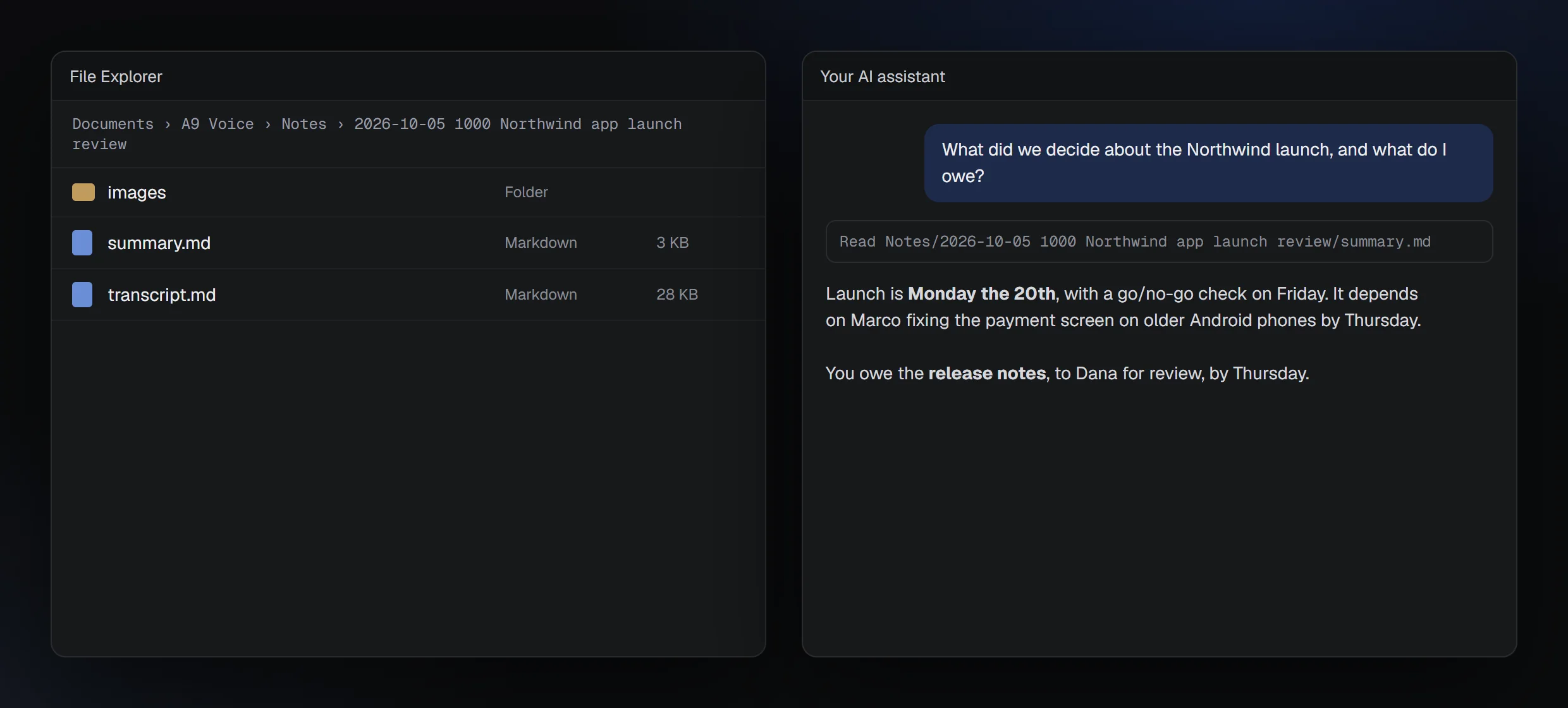
Every note is a folder of Markdown on your PC. Point Claude or ChatGPT at it, or connect them with the built-in connector.
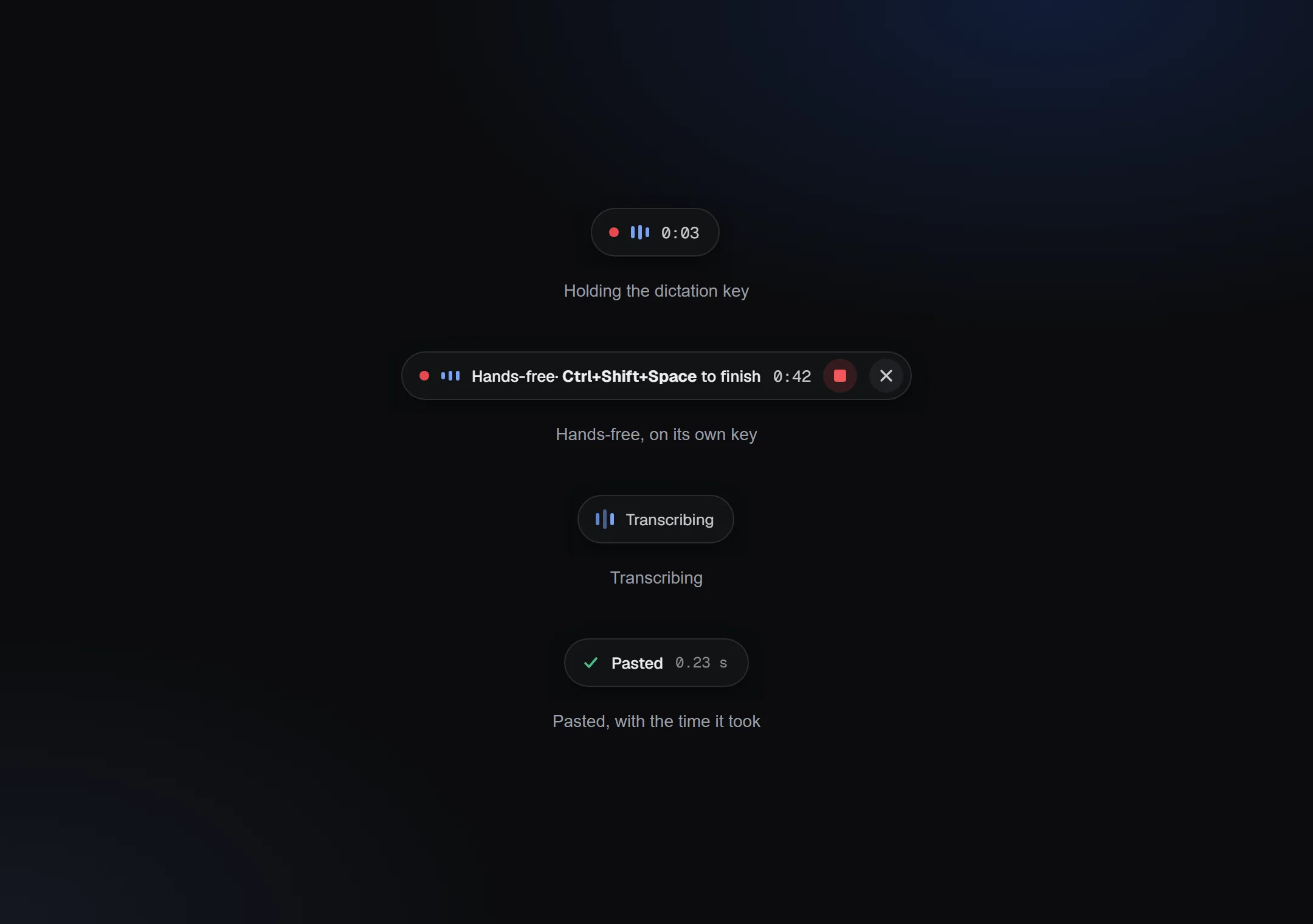
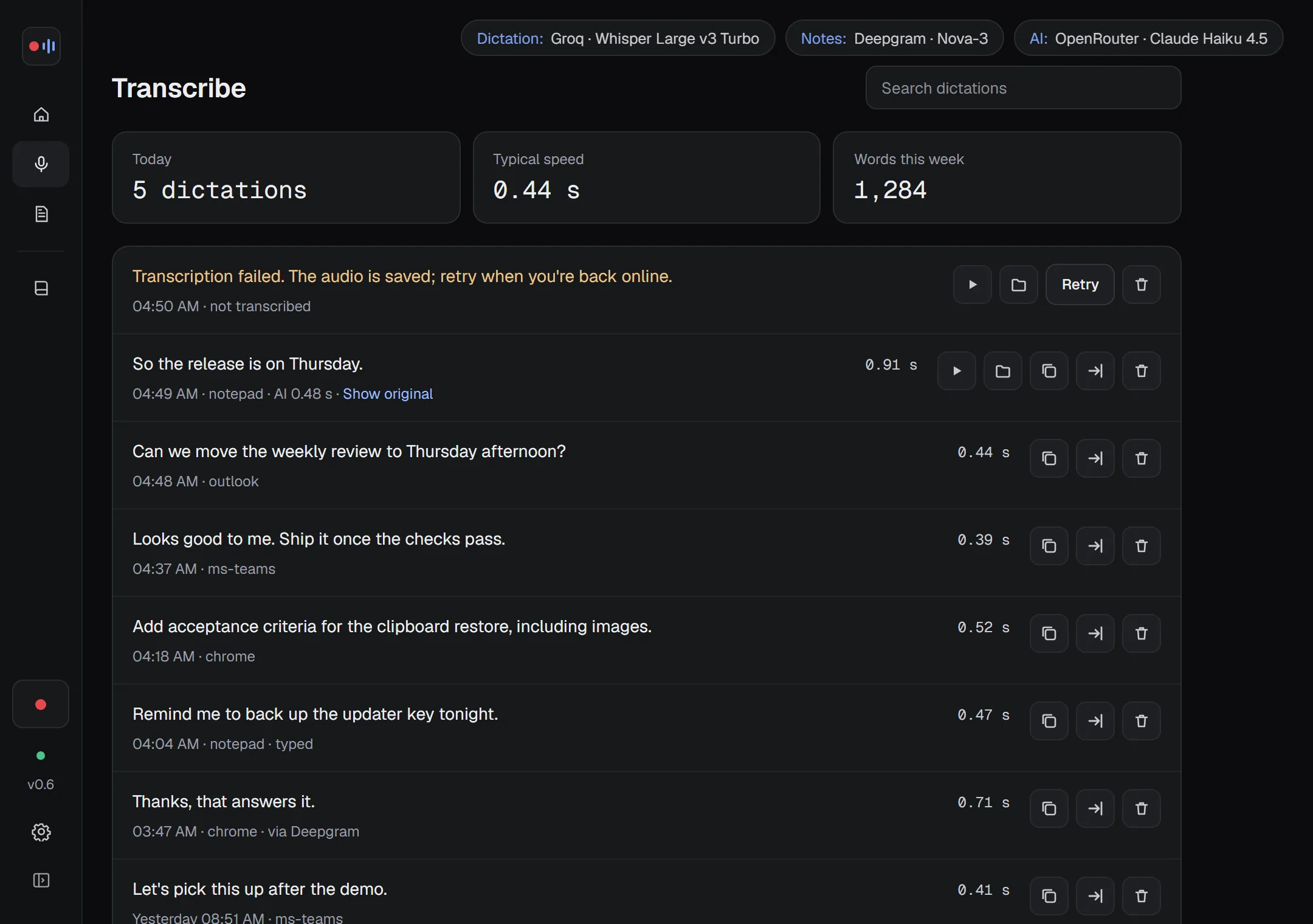
Hold a key anywhere. Your words appear.
- About 0.23 s from letting go to text on screen (median, measured with a cloud key)
- Works in apps with a text box: email, chat, browser, code editor
- Cloud key or a model on your PC: dictate with no internet at all
- Dictionary: names and jargon spelled your way, and fixes that apply every time
- Enhance with AI: removes “um” and fixes punctuation, never rewrites what you said
- Hands-free on its own key; your clipboard is put back afterwards
Meeting notes that know who said what.
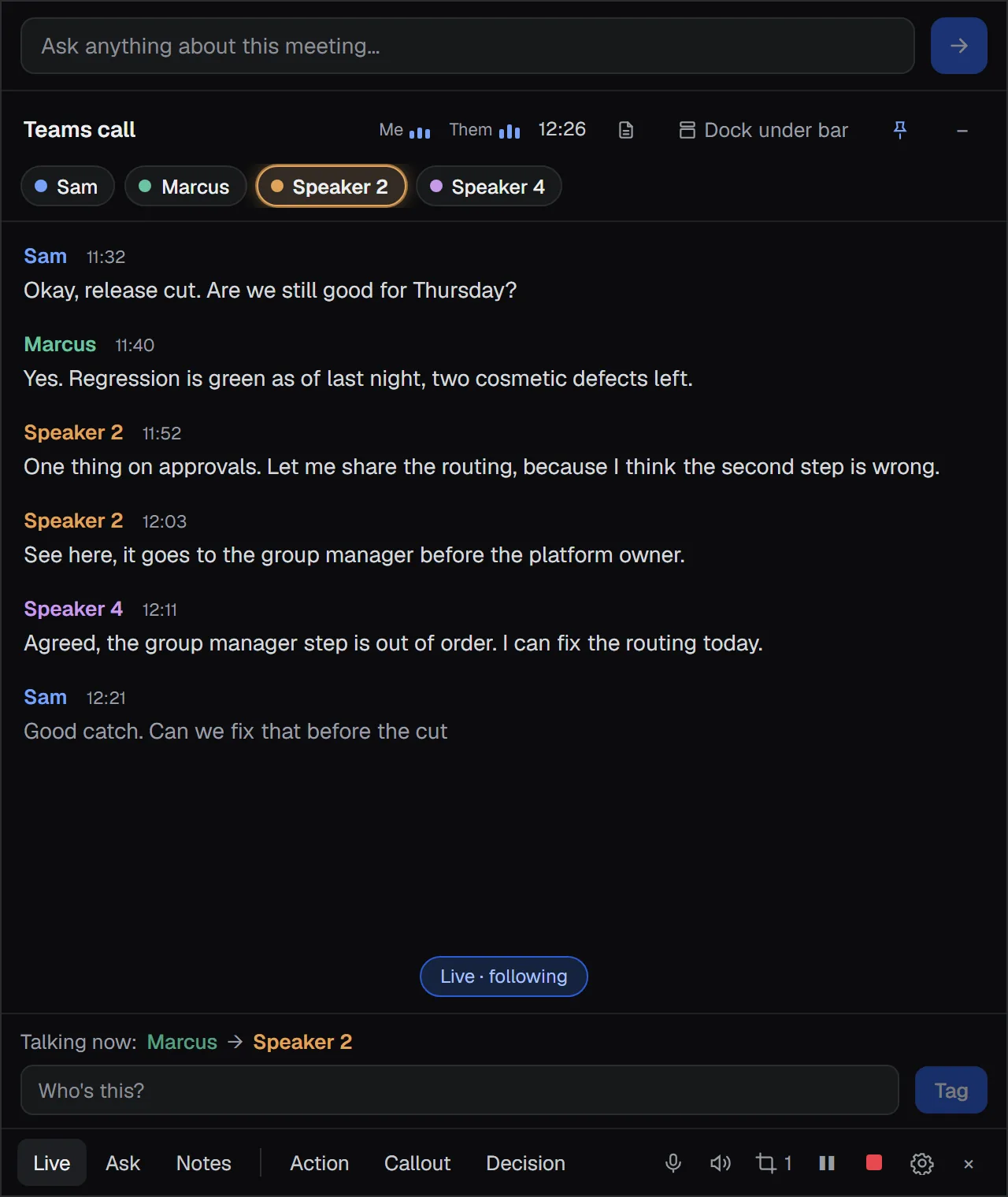
A9 Voice starts recording when Teams, Zoom or another meeting app you pick opens the mic, with an 8-second Discard notice. It stops when the call ends. Record a video or a voice note by hand with one key.
Live window
The transcript as it happens, with a chip for each speaker and a soft glow on whoever is talking. Tag a voice once and every line from that person shows the name. Undo takes a mistake back.
Ask mid-meeting
“What did Marcus say about the payment fix?” works while the call is still going. Mark Action, Decision and Callout moments with one click.
Snips in place
Win+Shift+S during a call drops the screenshot into the transcript at that moment, and into the note’s folder.
Summaries your way
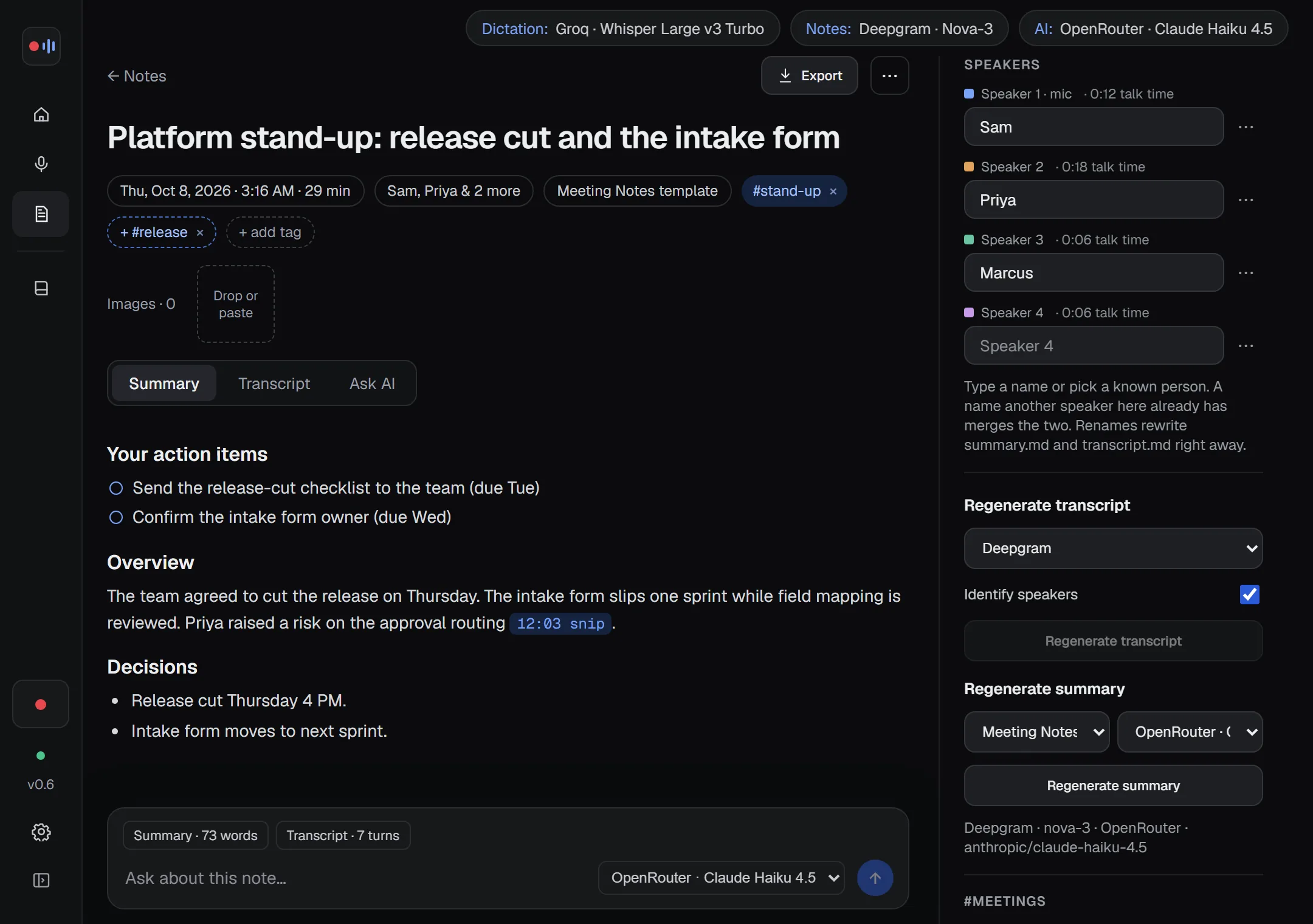
Templates set the sections and rules. Your action items come first, and decisions point to the moment they were made.
Branded exports
Put your logo and a footer on PDF, Word and HTML email files, or Copy for email with the formatting intact. Markdown, text and VTT or SRT captions too, and the audio as MP3, M4A or Opus.
Named after the meeting
Notes take the meeting’s name from the call window and live in folders like “2026-10-07 Platform stand-up”. Notes from a recurring meeting are linked together.
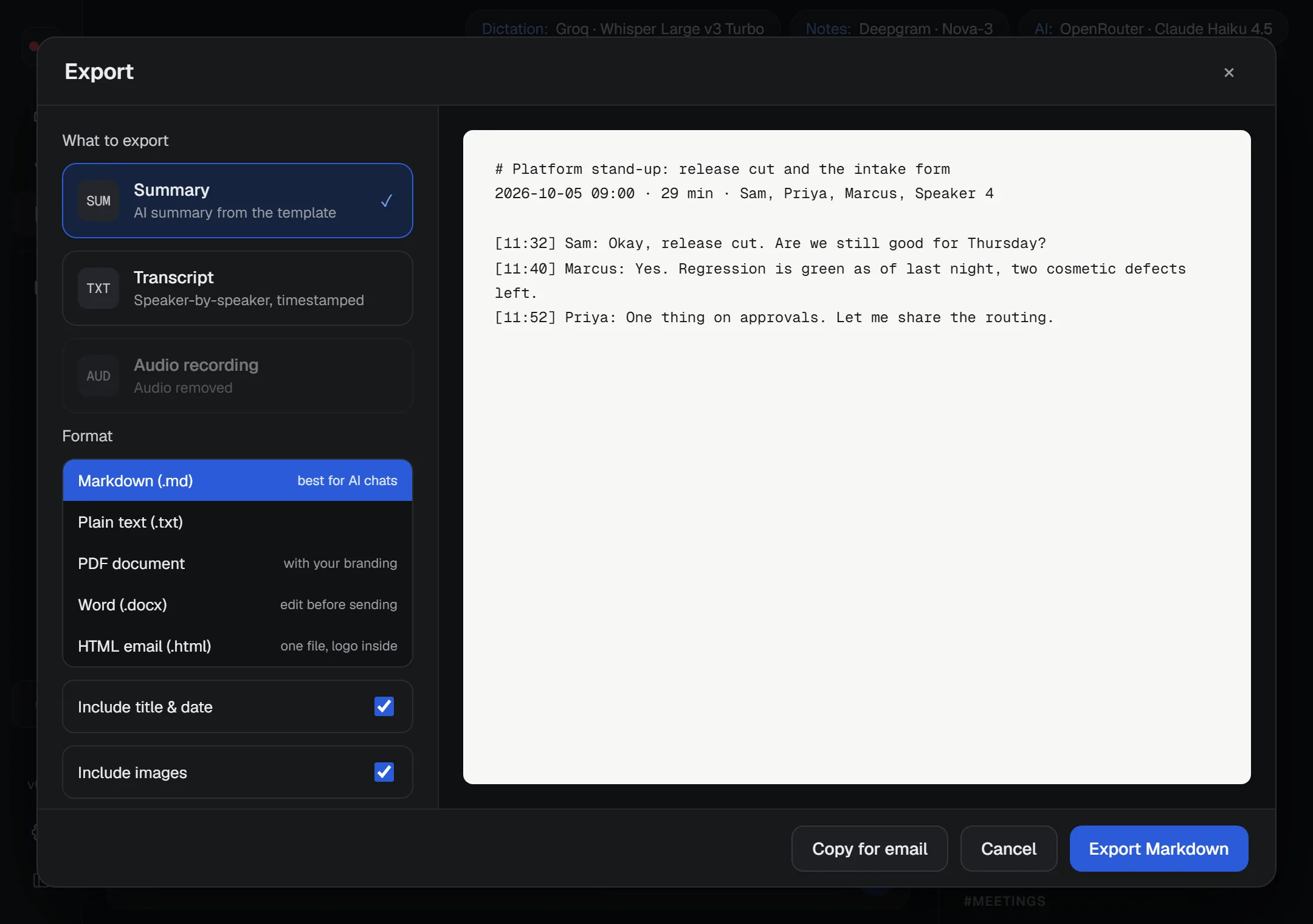
Works offline. Nothing has to leave your PC.
Download a speech model once and dictate or transcribe meetings with no key and no internet. If your connection drops, a downloaded model answers by itself.
No key, no internet
Parakeet V2 (English) and the Whisper models run on your processor. Downloads are checked and can resume. A speed test shows how fast each one runs on your PC.
Uses your graphics card
Optional, and any brand: a DirectX 12 card can run the bigger Whisper models, much faster than the processor on a modern graphics card. One small download turns it on. If the card has a problem, A9 Voice finishes on the processor and tells you once.
Summaries on your PC too
Point the app at a language model running on your PC and summaries and Ask stay there as well. Or use your own key with the provider you like.
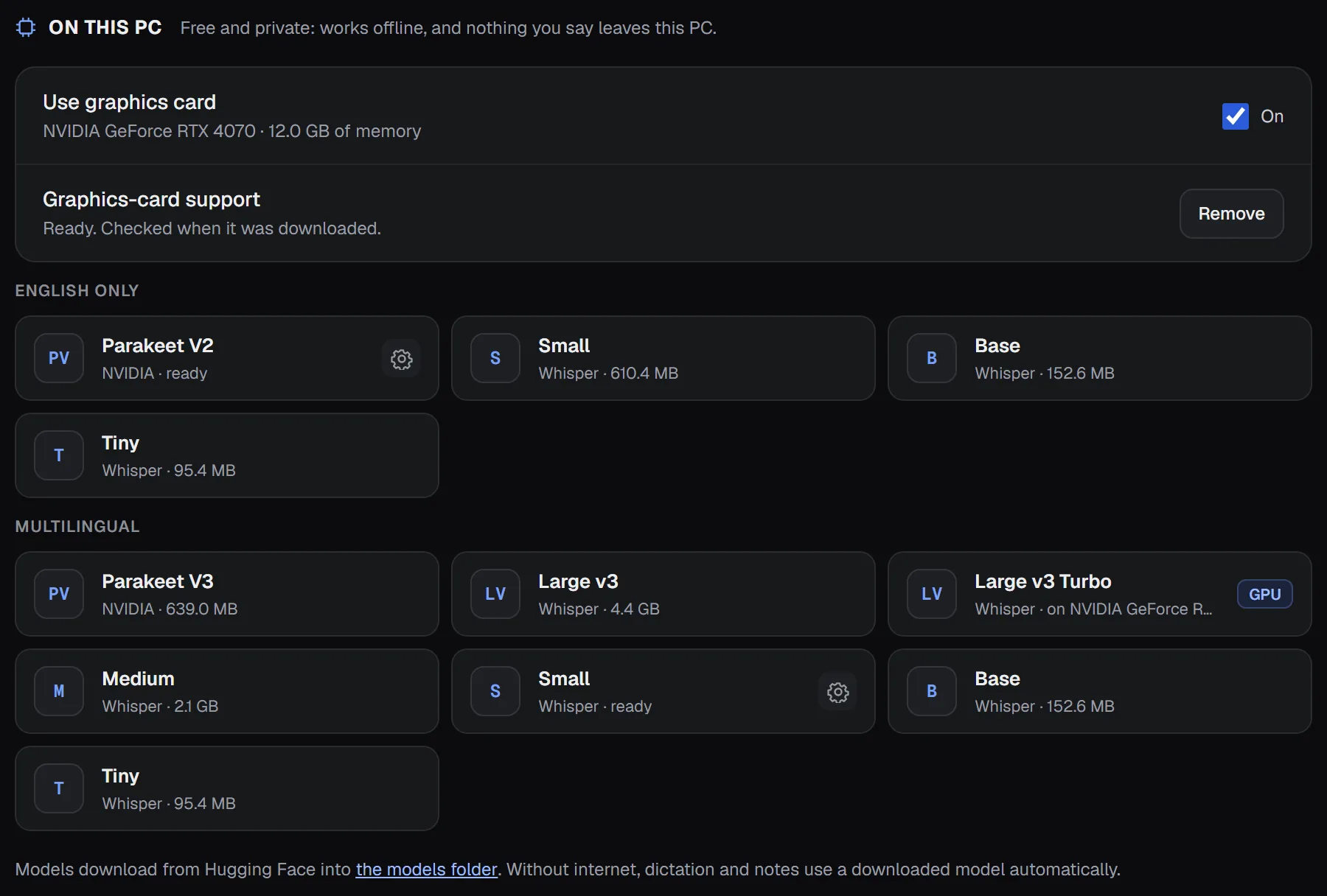
Knows who’s talking.
Turn on voice recognition and A9 Voice learns each person’s voice from the names you give it. Next time they join, their lines carry their name after a few seconds of speech.
- Off until you turn it on
- Voiceprints stay on your PC and are never uploaded
- Not sure? It shows “Name?” and waits for your click, instead of guessing
- Forget one person’s voice, or all of them at once
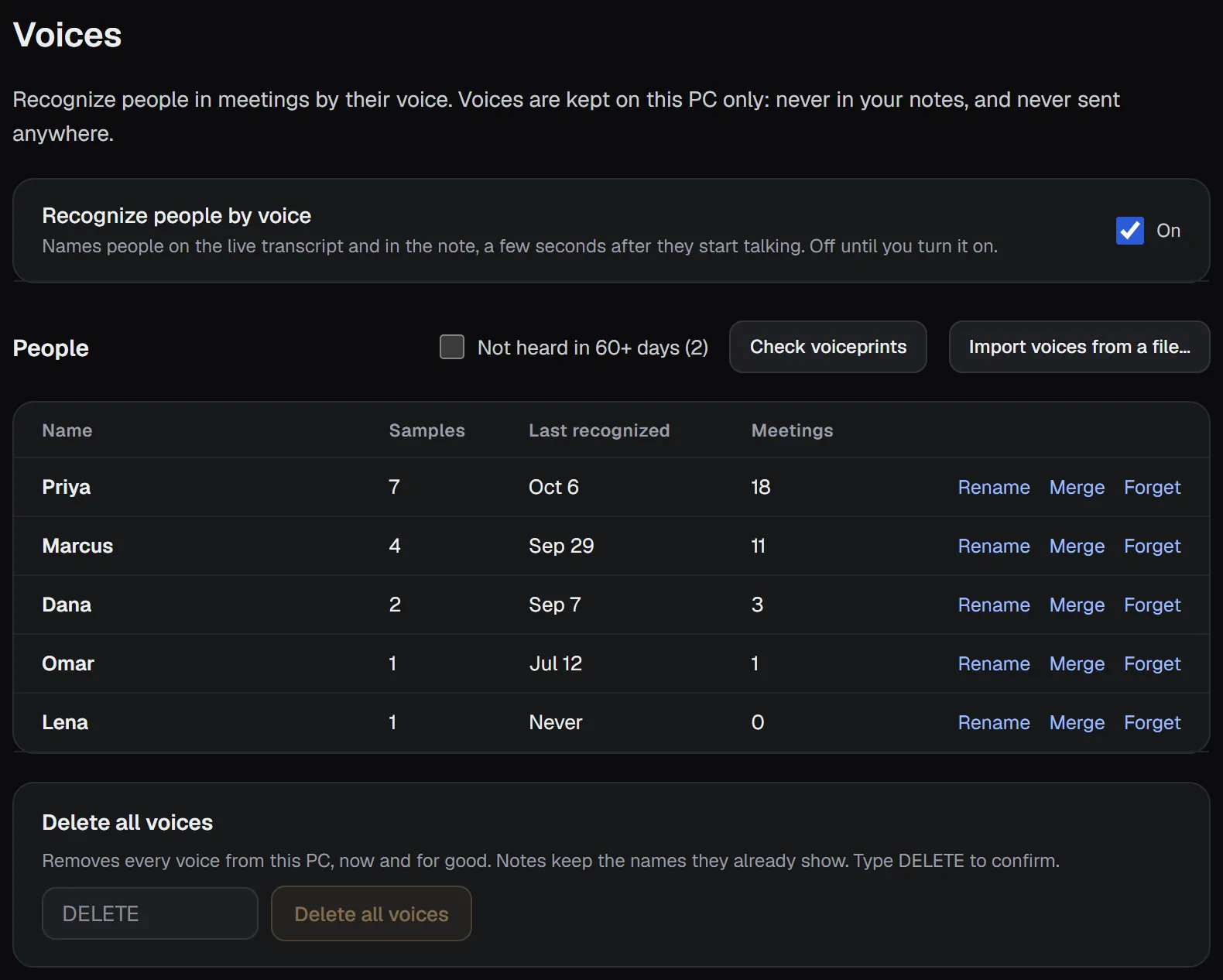
Find anything. Ask across every note.
Press Ctrl+K anywhere to search every note, and your dictations if you like. Ask a question and get an answer with links to the exact moment, or “I couldn’t find that in your notes”.
Quick and Deep
Ask has its own page. Quick answers from the best matches. Deep searches your question several ways, finds every meeting it came up in, and lists each one with its date.
Past meetings too
Add folders of older notes and search them alongside the new ones. They are read only: A9 Voice never changes them.
A connector for Claude and ChatGPT
Let your AI assistant search and read your notes through a local connector. Read only, off until you turn it on, and never audio or voiceprints.
Webhooks
Send each finished note to n8n, Zapier, Make, Discord, Slack or Telegram. You choose what is included; JSON requests can be signed, and failed sends are retried.
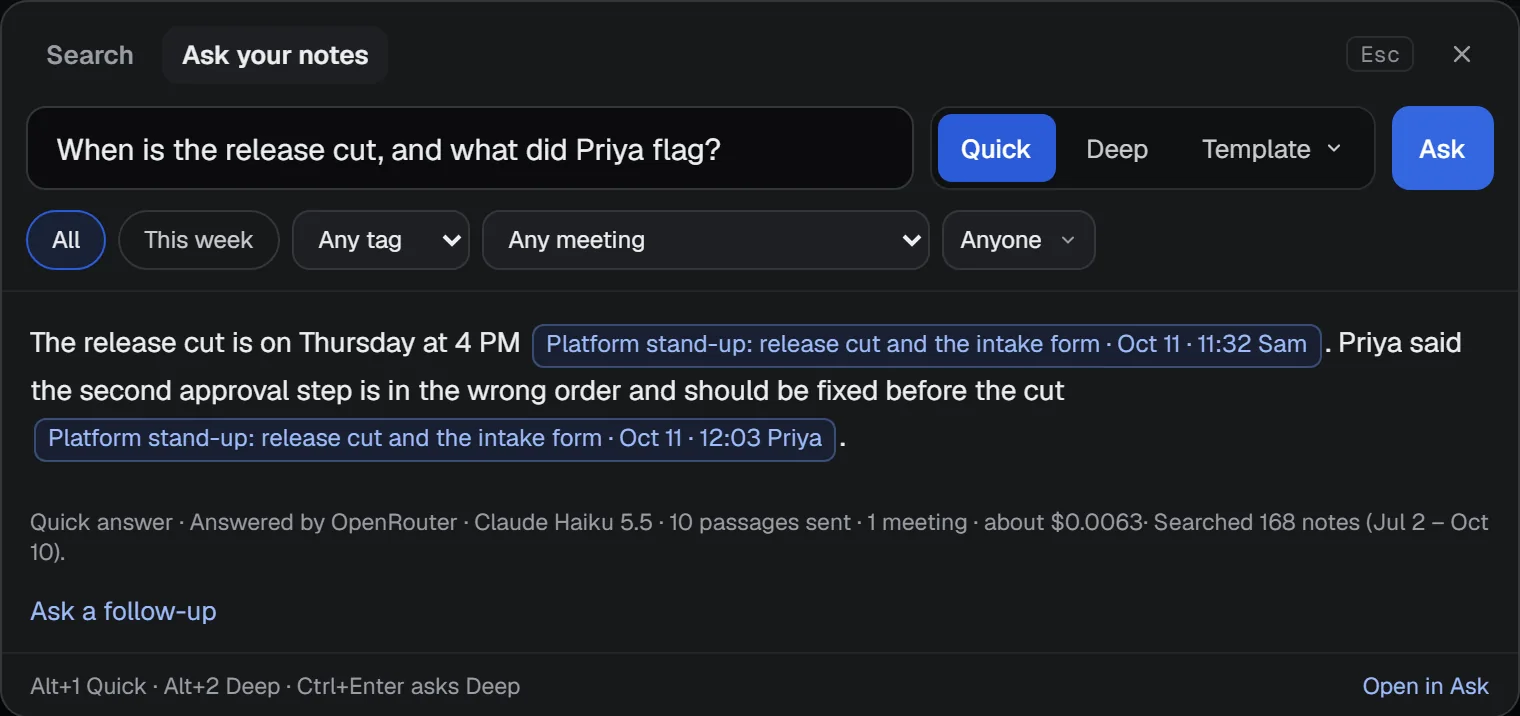
Every note is plain files on your PC.
summary.md, transcript.md and an images folder, kept up to date as you edit. Any AI tool that can read files can answer questions about your meetings.
How A9 Voice compares.
Checked against each company’s own pages on October 5, 2026. Prices are per user per month; the annual rate is in brackets.
| A9 Voice | Wispr Flow | Otter | Granola | Fireflies | |
|---|---|---|---|---|---|
| Joins your call as a bot? | No | No | Bot or desktop app | No | Bot or desktop app |
| Names people live | Tag a voice once, or let it learn voices (opt-in) | From the calendar invite | On Zoom only | Meeting display names | With the bot |
| Your own API keys | Yes, or none: models run on your PC | No | No | No | No |
| Notes stored as local files | Markdown on your PC | Their cloud | Their cloud | Their cloud | Their cloud |
| Price | Transcribe free; Notes $49 once | Free plan; Pro $15 ($12) | Free 300 min/month; Pro $16.99 ($8.33) | Free with 30-day history; Business $14 | Pro $18 ($10) |
What you need.
Windows 10 or 11, 64-bit
Installs for your Windows user. No admin rights, no UAC prompt.
Cloud keys or models on your PC
Bring keys for the speech and AI providers you pick, or download models and run with no key at all.
A graphics card is optional
Any DirectX 12 card, any brand. It helps the big models; dictation with Parakeet V2 doesn’t need one.
Disk space per model
The installer is small. Each model on your PC is its own download, from about 100 MB to about 4.7 GB; the app shows the size first. Graphics-card support is about 25 MB.
What’s next. Not in the app yet.
What’s here today is in the changelog. These are things we’re working toward; none of them ships today.
Calendar connection
Pick up meeting names and attendees from your calendar, so notes start out with the right title and people.
A faster NVIDIA path
Today’s graphics-card support works with any brand of card. We’re looking at an NVIDIA-specific route that could be faster still on those cards.
What leaves your PC, and what never does.
On this PC, nothing leaves
With speech models on your PC and a language model on your PC, what you say and write stays on your PC.
Only to the providers you pick
With cloud keys, audio and text go only to the speech and AI providers you choose. No A9 Voice server in between. The one thing counted is installs, anonymously, and you can turn it off (what is counted).
Voiceprints stay on your PC
Voice recognition keeps voiceprints on your PC only. They are never uploaded, and never sent to a webhook or the connector.
Voice recognition is opt-in
It stays off until you turn it on.
Delete any voice, any time
Forget one person’s voice, or all of them at once.
Plain files on your disk
Notes are Markdown files in a folder you pick. Keys live in Windows Credential Manager.
Recording consent
Some places require everyone’s permission to record. You’re responsible for getting it.
Questions
What do my own keys cost?
You pay each speech and AI provider directly, at its own prices. In our test, a 27-minute meeting cost about 24 cents at list prices: Deepgram transcribed both sides of the call and Claude Haiku 4.5 (through OpenRouter) wrote the summary. An hour of dictation with Groq’s Whisper Large v3 Turbo costs about 4 cents. Settings › Usage & cost shows your own estimate for the month, worked out from a price table you can edit. Models that run on your PC cost nothing per use.
Does it work offline?
Yes. Download a speech model in Settings › Speech models and dictation and meeting transcripts work with no internet. For summaries, point the app at a language model running on your PC, or wait until you’re online and use your key.
Do I need a graphics card?
No. Everything works on the processor. A graphics card is optional, any brand with DirectX 12 support, and it lets the bigger Whisper models run much faster than the processor on a modern card. If the card has a problem, A9 Voice finishes on the processor.
How does it know who’s talking?
Your mic and the call’s audio are recorded separately, so your own lines are yours. The other people are told apart by their voices, and you tag each voice once in the Live window. If you turn on voice recognition, A9 Voice also learns voices from the names you give it and recognizes them in later calls.
Is there a Mac version?
No. A9 Voice runs on Windows 10 and 11, 64-bit.
Why is it free?
Transcribe is free and stays free. Notes has a 30-day free trial, then costs $49 once, with no subscription. You pay your speech and AI providers directly for what you use. The details are on the pricing page.
Where does my data live?
On your PC: history and settings in your app data folder, notes as Markdown in a folder you pick, keys in Windows Credential Manager. Audio and text go only to the providers you choose. The privacy page lists every place.
How do updates work?
A9 Voice checks for updates and downloads them in the background. You restart into one with a click, or turn on a switch to restart by itself when you’re idle; it never restarts while you’re dictating or recording. Every update is signed. You can follow Stable or Dev; see Updates and channels.
Why does Windows show a note about the publisher?
The installer isn’t code-signed yet, so Windows SmartScreen shows a note for new publishers. The download page describes the screens and lists the installer’s SHA-256.

Stop typing what you can say.
Transcribe is free. Notes is free for 30 days, then $49 once. One small installer, no admin rights needed.
Download free Version latest · Windows 10/11, 64-bit · Manual · Changelog